
Your role
Building
Admin.
One building, or a handful. You see your own chargers, your own residents and your own numbers, and you see nothing else on the network. This page is the whole job.
The job, in one paragraph
You are responsible for the charging at your building the way you are responsible for the lifts: it should work, residents should not have to think about it, and when it does not work somebody should already be fixing it before you hear about it. The platform is built so that last part is true. What is left for you is the part that needs a human on site.
Your boundary is applied on every request rather than by hiding menu items. That is worth knowing because it means the console is not withholding a fuller picture from you. What you can see is what you hold.
Your bank account, within 60 days
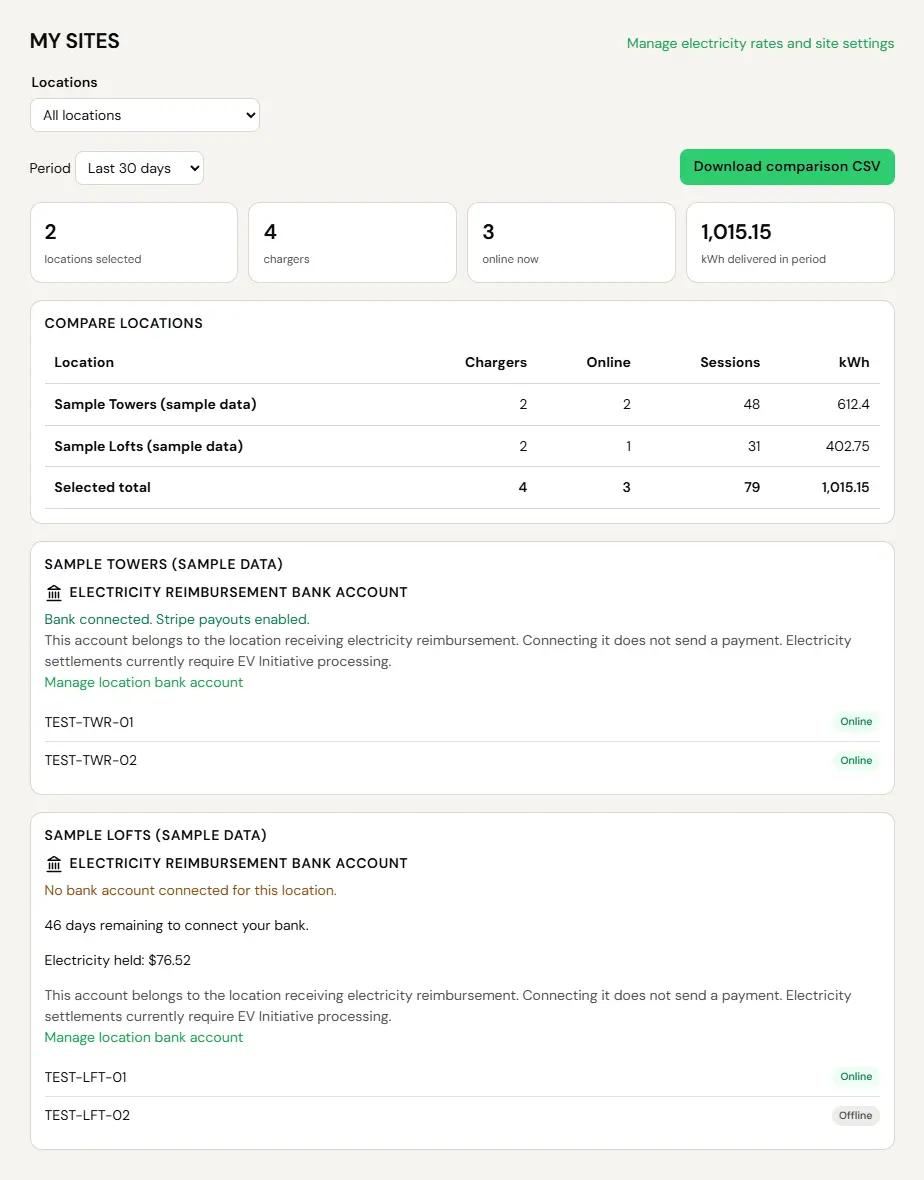
If your building is reimbursed for the electricity its chargers use, connecting the building’s bank account is your job. You have 60 days from launch. Connect in time and we reimburse from launch. Connect later and reimbursement starts for sessions that start after the account is verified, and the electricity used before that is not reimbursed. Your console may show a banner counting the days down, but the deadline holds whether or not you see a reminder.
How to do it is on Connecting your bank. The rules are in our Site Host Terms.
Getting your numbers out
This is most of what the role is for. The Reports page covers every tab in detail. The two that answer almost every question a building actually asks:
- Booking history. The transaction log. Every session, what it delivered, what it cost, when it ran.
- Compare Locations. Units consumed by location, aggregated per site: sessions, total kilowatt-hours, unique drivers, average per session, and when the last session ran.
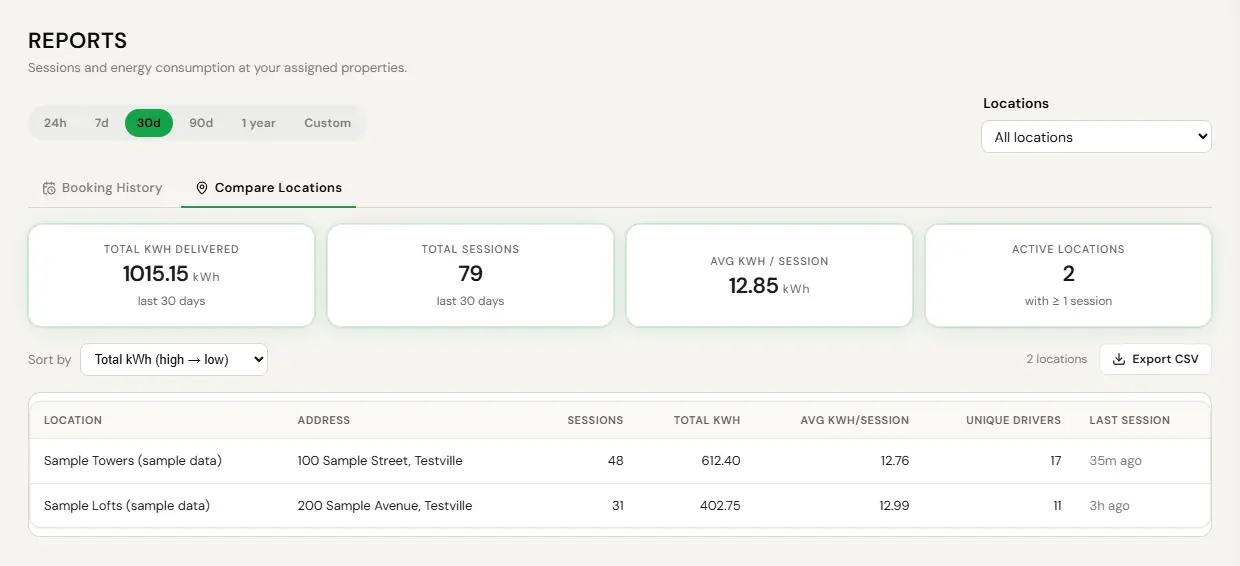
Units consumed by location is the Compare Locations tab: sessions, kWh, unique drivers and averages for each location, with Export CSV. Sample screen with test data.
- Open Reports.
- Set the date range: 24 hours, 7, 30 or 90 days, 1 year, or Custom.
- Set the location filter if you hold more than one building.
- Export the tab to CSV.
CSV is the export format. There is no XLSX or PDF export, so open the CSV in Excel or Sheets and format it there if the board wants something prettier.
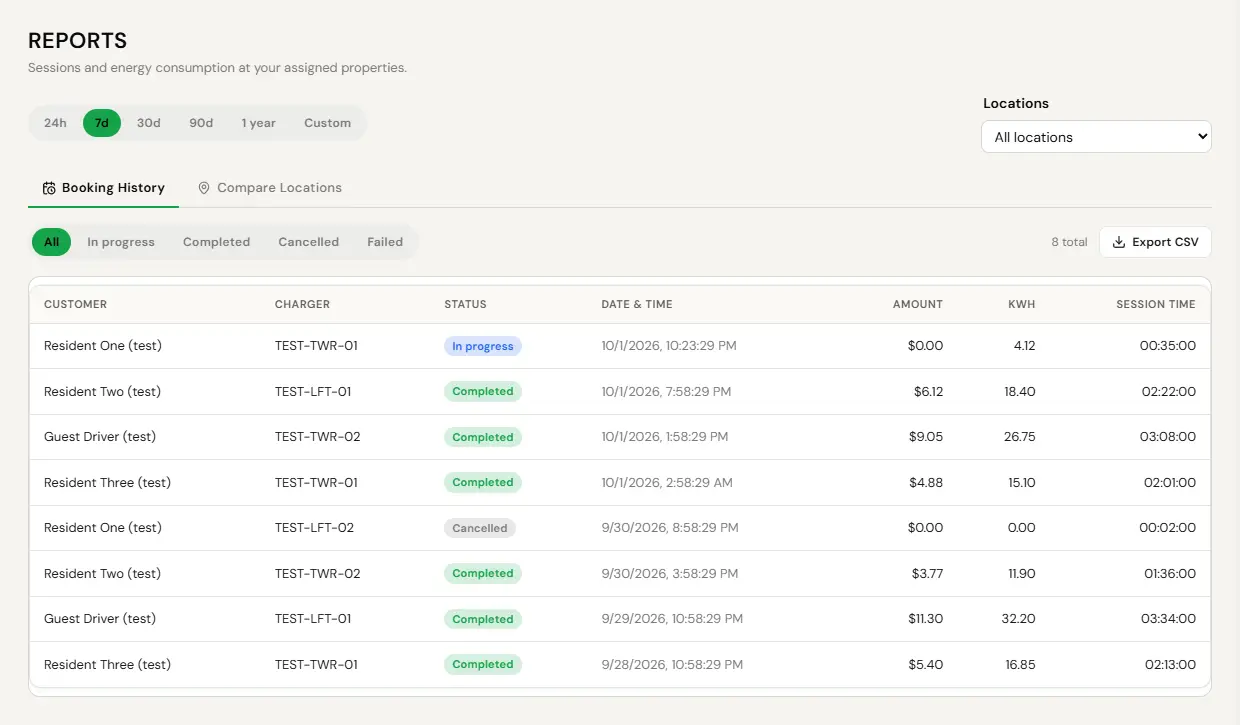
A report range cannot exceed 365 days, and a CSV export stops at 10,000 rows. If you need more than that, pull it in two exports rather than wondering why the file looks short.
Getting residents onto the chargers
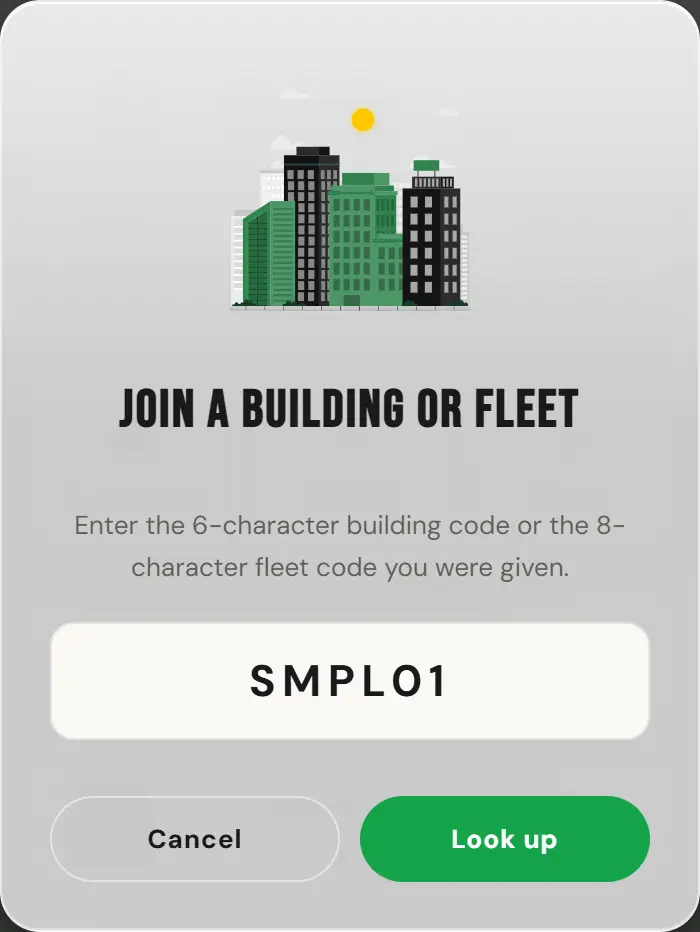
Most buildings are not on the public map, which is usually what the owner wants. Residents reach the chargers with a join code instead. They enter it once and the building’s chargers appear for them from then on.
- Get the join code for your building from the account holder above you.
- Send it to residents with the app link. A notice board, a resident newsletter and the move-in pack all work.
- A resident downloads the app, enters the code once, and is in.
Full detail, including what the code does and does not grant, is on the join codes page.
When something is wrong
You will usually hear from us before you hear from a resident. That is the design. A charger that stops talking is noticed quickly, and the notice goes to the people who can actually act on it.
When you get one, the question to answer first is the one on the fault playbook: is the charger online, and has it ever connected? Those two answers separate almost every problem into ours or yours. The preventative maintenance page explains what each notice means and what you are expected to do about it.
What to ask for if you need more
If you find yourself needing something the console will not let you do, you do not need a support ticket, you need a wider scope or a different role. Ask whoever holds the account above you. Specifically:
- To change pricing at your building, you need pricing in your scope.
- To run remote commands on a charger, you need the charger in your scope.
- To add another person at your building, you need the ability to invite, which sits with the account holder by default.
None of that is a limitation of the product. It is the account holder deciding how much of their building to hand over, and it takes them about ten seconds to change.