When it goes wrong
How we watch
your chargers.
Something is watching every charger on this network all the time, and when it finds a problem it emails the person who can actually do something about it. This page explains what it is looking at, what each notice means, and what you are expected to do.
What is actually being watched
Every charger on the network holds an open connection to us and sends a heartbeat on a schedule. On top of that, every message a charger sends is stored and searchable: status changes, errors, meter readings, transaction starts and stops.
Out of that, three things are being looked for continuously:
- Presence. Is this charger still talking to us at all?
- Health. Is it reporting faults, and is it reporting more of them than it used to?
- Connectivity. Can it reach the internet, independently of whether it is working?
You do not have to do anything to turn this on. It is not a feature you enable, it is what running a charger on this network means.
Why silence matters more than faults
A charger that reports a fault is easy. It told you. The hard case, and the one that actually happens, is the charger that goes quiet: a network drop, a tripped breaker, a unit that locked up. It reports nothing, because it cannot.
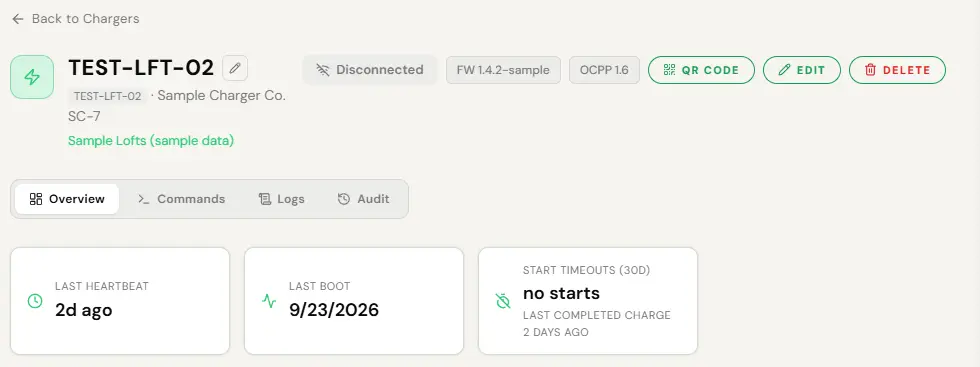
Whether a charger is online is decided by whether a message actually arrived recently, not by a stored online flag. This is not a technicality. A charger on this network once read as online for forty-one days after its last message, because something had written a flag and nothing ever corrected it. Anything that depends on a charger being reachable now checks the connection rather than the record, which is also why a command is greyed out while a charger is offline rather than failing after a round trip.
Silence is noticed quickly, and anything still silent past an hour is on the daily list whether or not anyone has complained.
Broken, or just offline
These are completely different problems with completely different answers, and telling them apart is worth a truck roll on its own.
So where the SIM is one we manage, the platform also reads the cellular side directly: whether the SIM is active and whether it has attached to a network at all. A charger that is fine but cannot reach the internet looks identical to a dead charger from the outside. It is not identical from the inside.
The two overwhelmingly common causes are a SIM that was never activated, and a charger identity that was typed by hand instead of copied from the unit. A mistyped identity is refused at the socket and produces no error message anywhere, so the unit simply never shows up. Check both before anyone drives anywhere.
Patterns rather than events
A charger that faults occasionally is normal hardware. That is not worth an email and you should not get one.
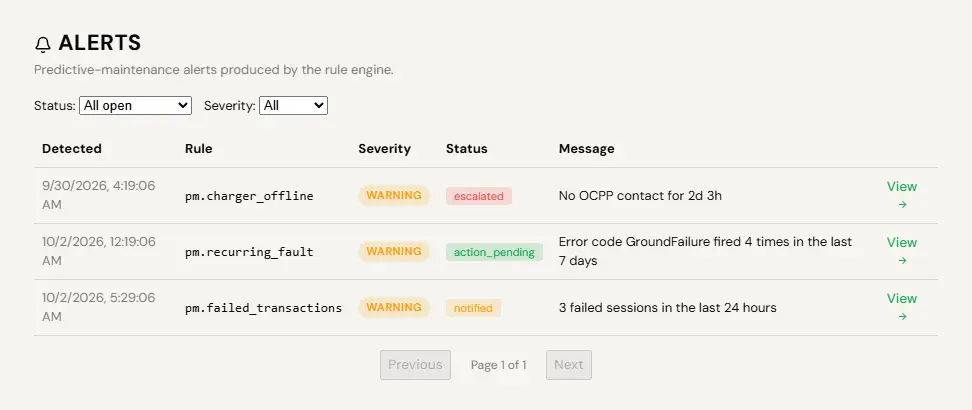
What matters is the pattern. A charger that throws the same fault code more than three times in a week, has more than three sessions fail in a day, sits in a faulted state for ten minutes, or drops to half its charging power mid-session is going somewhere, and it is usually going there before anyone notices at the site. That is the preventative half: reaching out before the failure rather than after it.
The notices, and what each one means
There is one rule behind all of it, and knowing it explains why you get some things and not others.
Tell people things they can act on. Never tell them things they cannot. A driver whose card declined can fix it, so they are told. A host whose guest’s card declined cannot, so they are not. A host whose charger went offline can power-cycle it, so they are.
| What arrives | What it means | What to do |
|---|---|---|
| A charger has gone offline | It stopped talking to us. Power, network or a locked-up unit. | Try a remote reset first. If it does not come back, someone checks power and the breaker at the site. |
| A charger is faulted | The unit itself is reporting a fault, so it is reachable and it is telling you. | Open the charger and read the message history. A reset clears most of it. A repeat is hardware. |
| A charger is heading for trouble | Nothing is broken yet. The same fault code keeps coming back, or sessions keep failing. | Nothing urgent. Put it on the list for the next site visit rather than the next hour. |
| A daily bell push | For a residential host, a daily summary of their own charger in the app. | Glance at it. There is no equivalent daily email for site operators today, so do not wait for one. |
| Money and payouts | Receipts, payouts, statements. Records rather than alarms. | File them. Check the payouts tab weekly rather than reacting to each one. |
Push notifications are for things happening now. Email is for records and money. If you want to be reached about an offline charger before a resident tells you, install the app to your phone and allow notifications.
What you are expected to do
Almost always, one of three things.
- Open the charger from the notice or from Chargers.
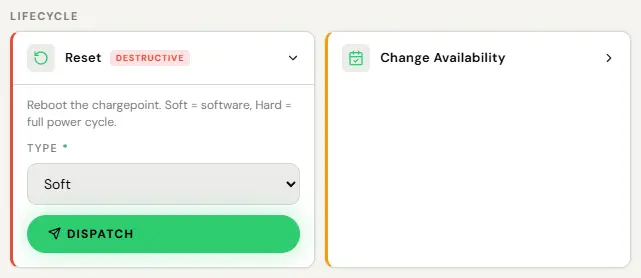
- Run Reset. Soft first. Hard if soft does not take.
- A soft reset is back well under a minute. A hard reset takes longer, often a minute and a half to three minutes, and the unit reconnects on its own.
Commands are disabled while a charger is offline rather than failing after a round trip, so if Reset is greyed out, it is not reachable and the answer is at the site.
- Remote stop for a session that will not end.
- Unlock connector for a cable that will not release.
- Remote start for a driver who cannot get going.
Not every unit supports every command. Some hardware refuses a remote unlock when nothing is plugged in, and it will tell you so rather than pretending.
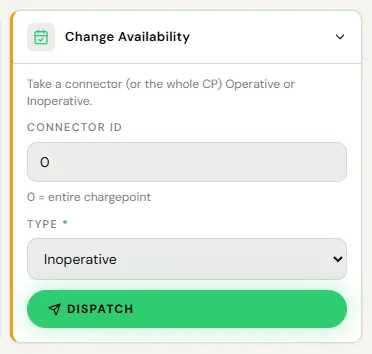
- Open the charger and use Change availability.
- Drivers see it as unavailable rather than turning up and finding it broken.
- Put it back when the repair is done.
Better than unplugging it, because a charger that is unavailable on purpose is not a charger that vanished off the network with nobody knowing why. It does not change your uptime figure, which counts reachability rather than intent.
Where our job ends and yours starts
This is the line, stated plainly so nobody has to ask.
- Ours. Noticing. Telling you. The platform, the connection, the payments, the software. Remote commands that fix a charger without anyone driving anywhere.
- Yours, or your installer’s. Anything physical. A cracked connector. A tripped breaker. A unit with no power. Water where water should not be. A cable somebody drove over.
The useful thing is that you will almost always know about the physical fault from us first, and you will know about it before a resident does. The fault playbook is the symptom-by-symptom version of this and it leads with the two questions that answer most of it: is the charger online, and has it ever connected?
Maintenance windows, and what they really do
A charger can carry maintenance windows, set per charger in a section on its Overview tab. Inside a window, a card tap is refused at the charger and drivers see the unit marked Maintenance on the map with the start button disabled. That is the whole of it.

A window does not silence alerts, does not stop offline notices reaching you, and does not exclude the time from your uptime figure. It is independent of taking a charger out of service, which is a separate control. So a window is the right tool for telling drivers not to bother turning up, and the wrong tool for stopping your phone buzzing while an electrician works. For that, expect the notices and ignore them.
On the hardware side, the manufacturer asks for the connector, the input cable and the body to be looked at every three months for cracks and damage, and after any lightning strike, accident, fire or flooding. That is a five-minute walk around, not a service contract.
You only ever see your own chargers
Every notice, every alert and every dashboard is scoped to what you actually hold. A manager responsible for three buildings gets three buildings, not the network. This is enforced on the request rather than by hiding a menu, so there is no fuller view being withheld from you.
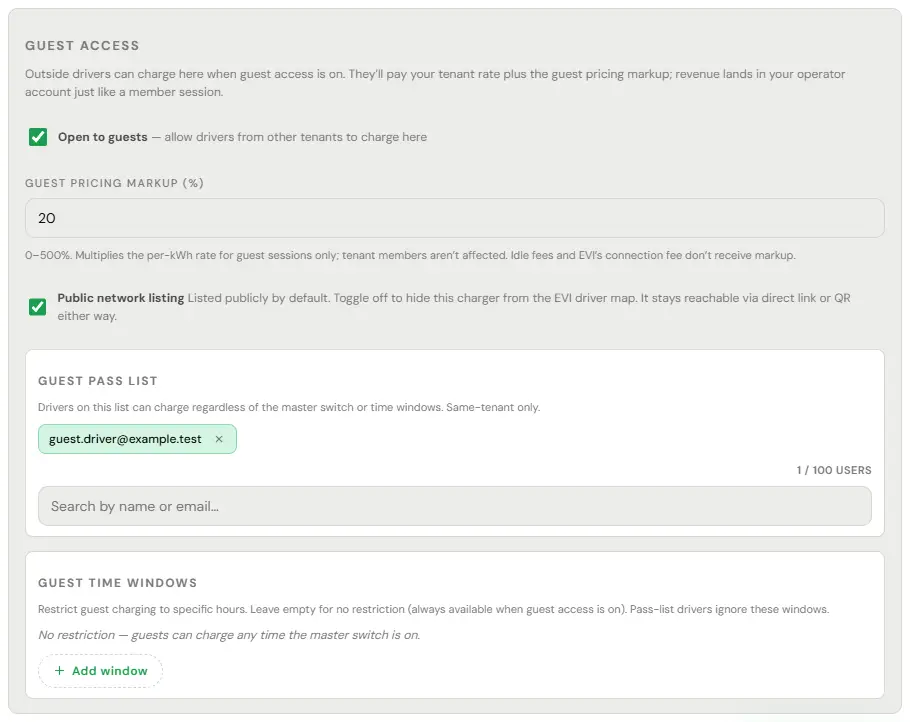
Separately from that, each charger carries a public map setting. On, and any driver can find it. Off, and it stays reachable by a direct link or a QR code you share with whoever you choose. Most residential hosts and plenty of private buildings run with it off, and it makes no difference at all to the monitoring: an unlisted charger is watched exactly like a listed one.
The charger page also shows its firmware version and when it last booted, which is what you read to us if hardware support ever asks.