
Your role
Residential
host.
You own one charger, or a few, at a home. You do not use the operator console and you should not want to. Everything you need is in the driver app at app.evinitiative.com, under My Home.
Where this happens
Residential hosting is in the driver app at app.evinitiative.com, under My Home. It is not in the operator console at admin.evinitiative.com. If you have been sent to the admin console and asked to find your home charger, you are in the wrong place.
Install the app to your phone’s home screen and it behaves like any other app, with no app store and no update prompts. The install page has the two-tap version for iPhone and Android.
Under My Home you get a live status card for the charger, one-tap start, session history, and the settings below. You name the home and the charger, set the address, record your own utility rate, and set an amperage cap if the circuit needs one.
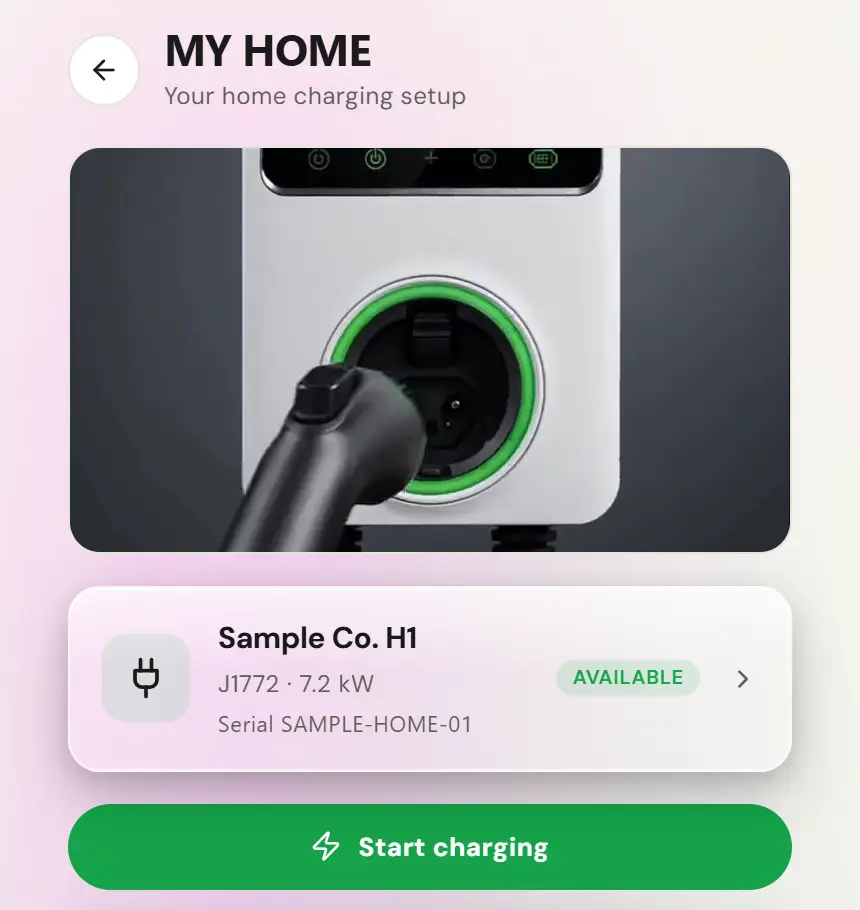
Turning the plug into income
A charger sitting idle twenty hours a day is a depreciating asset. Opening it to guests is one short walk in the app and you can close it again with one switch.
- In My Home, open the charger and start Earn from your charger.
- Step 1, Price, then step 2, Hours.
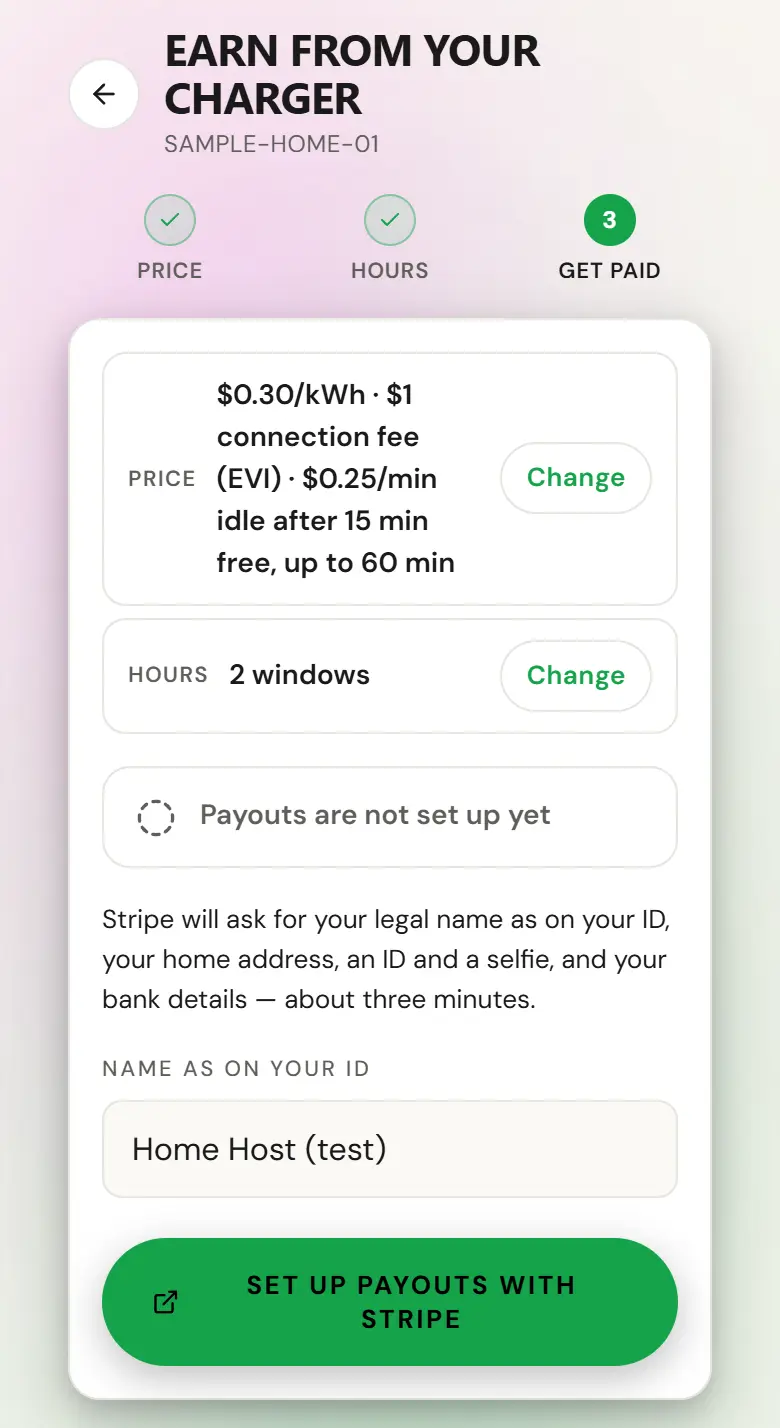
- Step 3, Get paid: tap Set up payouts with Stripe and finish Stripe’s form. Turn on earning appears once payouts are set up.
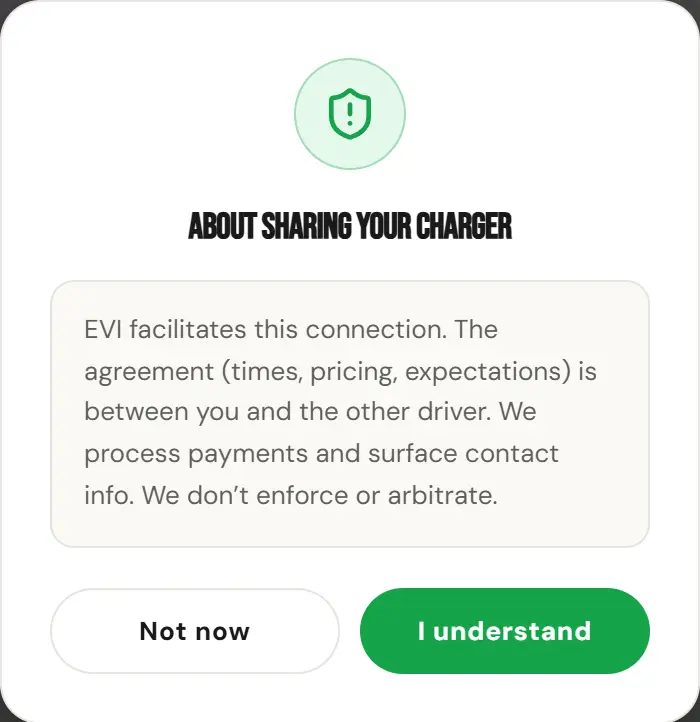
- Tap Turn on earning. The first time, a notice says EV Initiative facilitates the connection and the agreement is between you and the driver. Tap I understand.
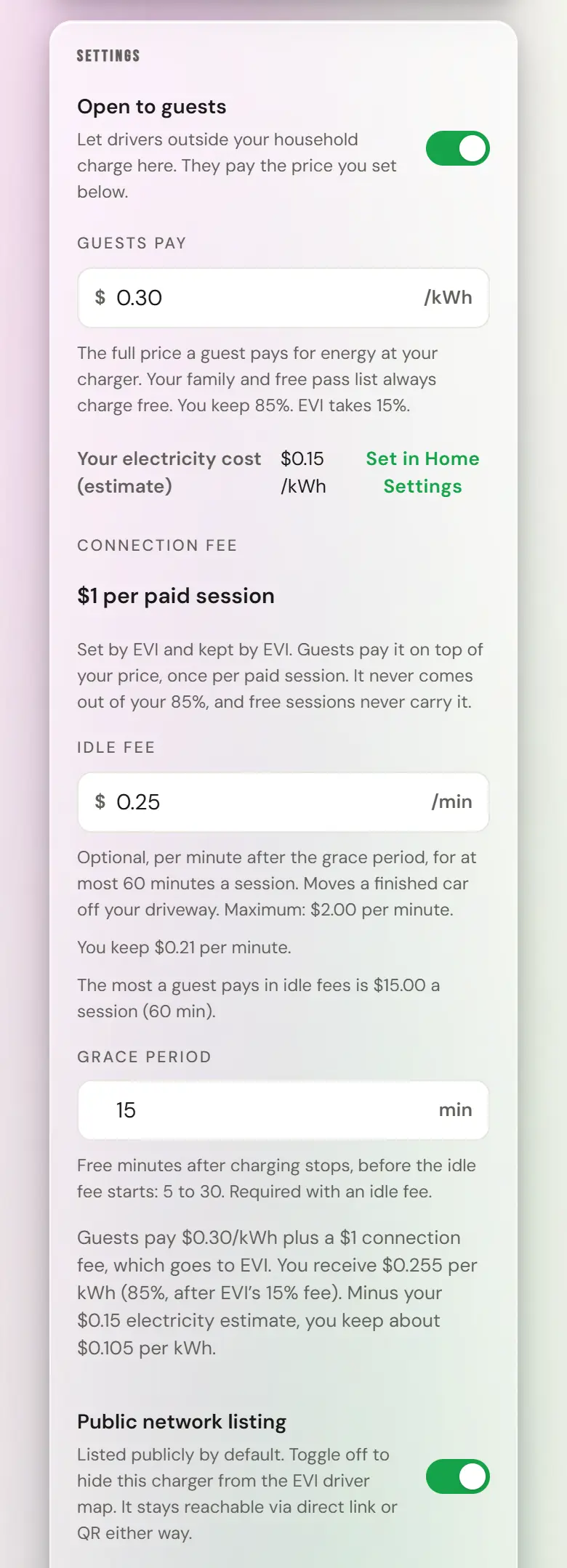
- Check that Open to guests is on in the charger’s settings card.
Guest access is a switch, not a commitment. Open it when you want the income and close it when you want the driveway.
Setting your rate
You set a price per kilowatt-hour, and that is the full price a guest sees before they plug in. The price in force when a session starts is the price that session pays, so a change never reaches backwards.
As you type a price, the app does the arithmetic live, before you save: what guests pay, what you receive after our 15%, minus your own electricity estimate, and what you actually keep per kilowatt-hour. Set your utility rate in Home Settings first, or that figure is gross rather than margin. The utility rate is informational and is used only to show you your own margin. It never changes what a guest is charged.
- Open the charger in My Home and set the guest price per kWh.
- Set guest hours by day of week. They are in your charger’s own local time, and the charger’s page names the timezone the windows use.
- There is no connection fee for you to set. EV Initiative may add a fixed connection fee of its own, shown to the guest before they start. It is ours, it is not shared, and it never reduces your 85%.
- Optionally add a per-minute idle fee for a car left plugged in after charging finishes.
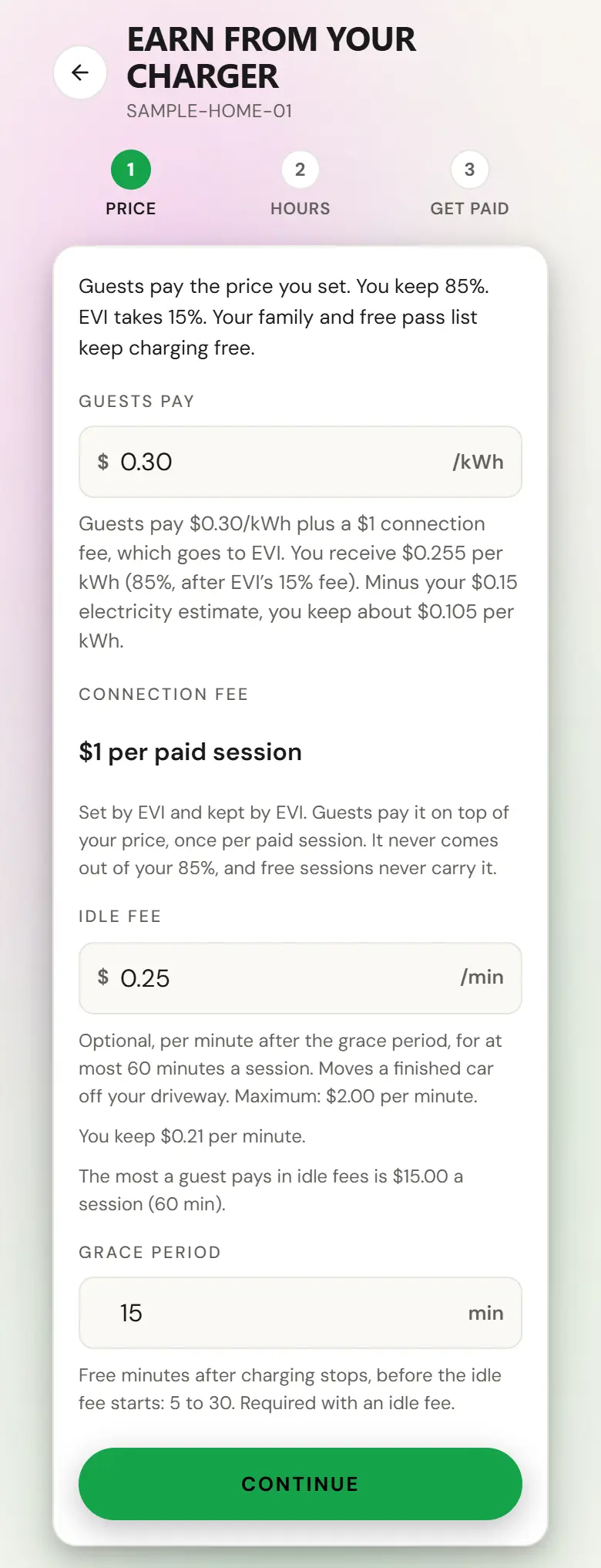
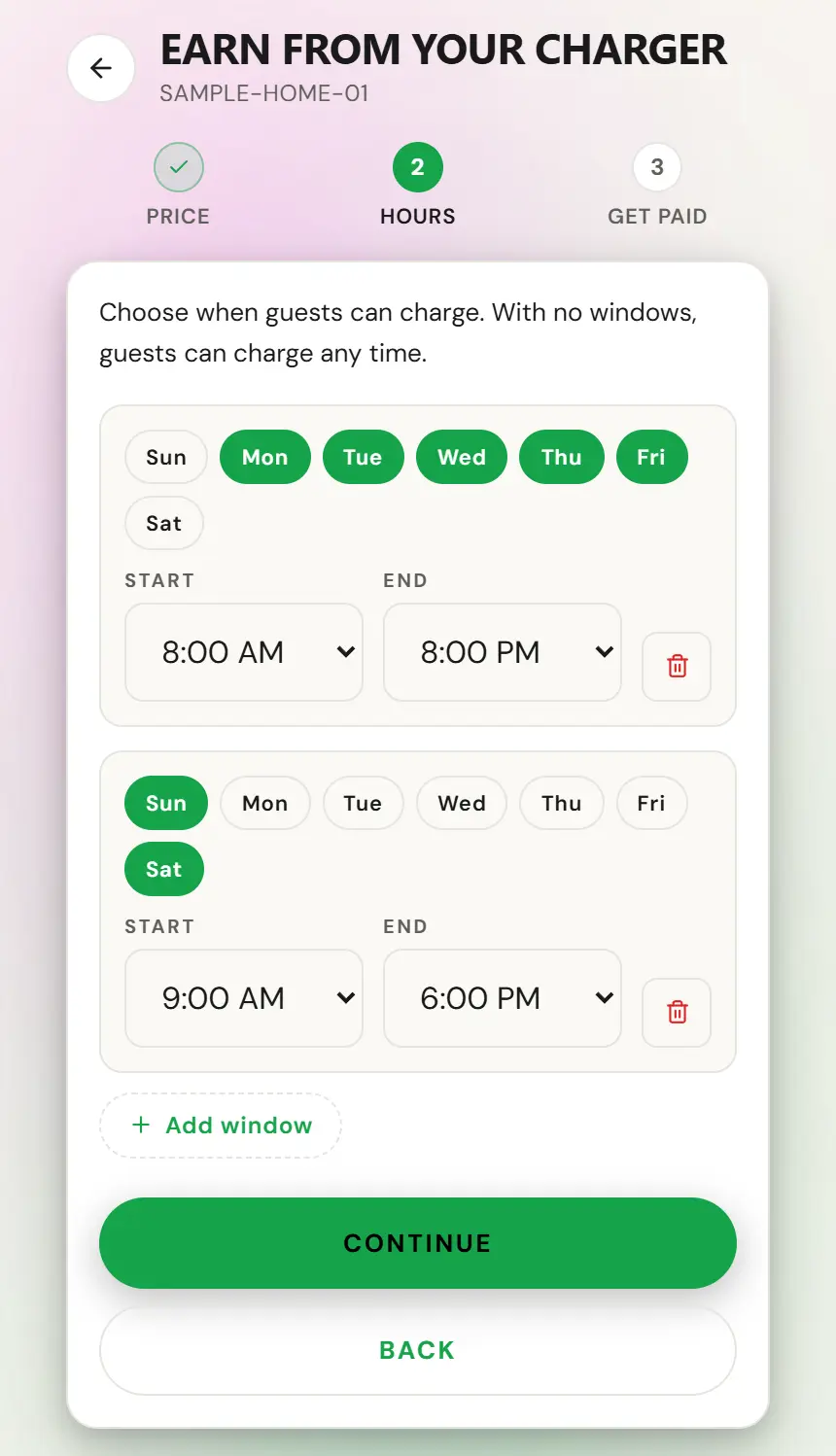
Leave the hours empty and the charger is open whenever guest access is on. Your own charging ignores the hours entirely, and so does anyone on your free list.
Who can use it
- Your free list. Up to a hundred people who charge free at any time and ignore your hours. Family, neighbours, the friend who always turns up on empty. You invite them by email and you can revoke an invite before it is accepted.
- Your block list. It beats everything, including the free list. A blocked driver sees the charger as closed rather than as blocked, at every entry point including an RFID tap, so you never have to have that conversation.
- Everyone else, if guest access is on, at your price and inside your hours.
- Open the charger, then the free list.
- Invite them by email. They get a join link.
- They are free at any hour from the moment they accept.
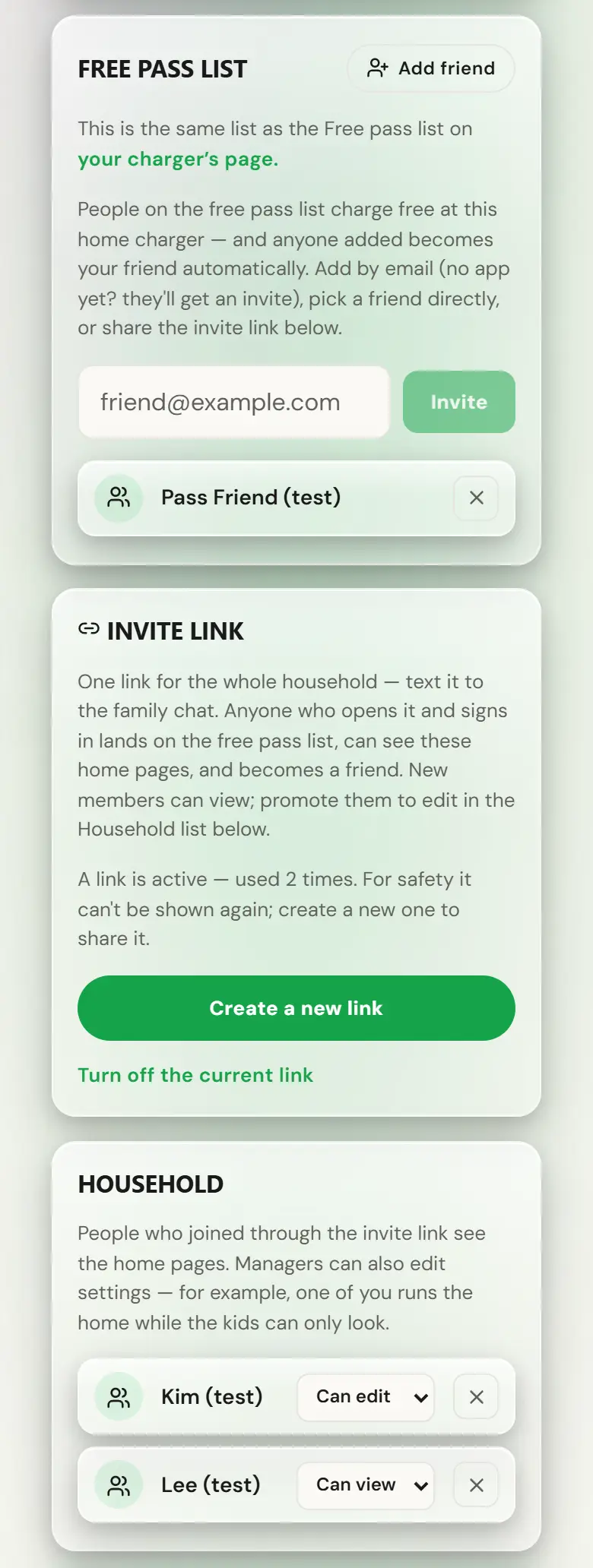
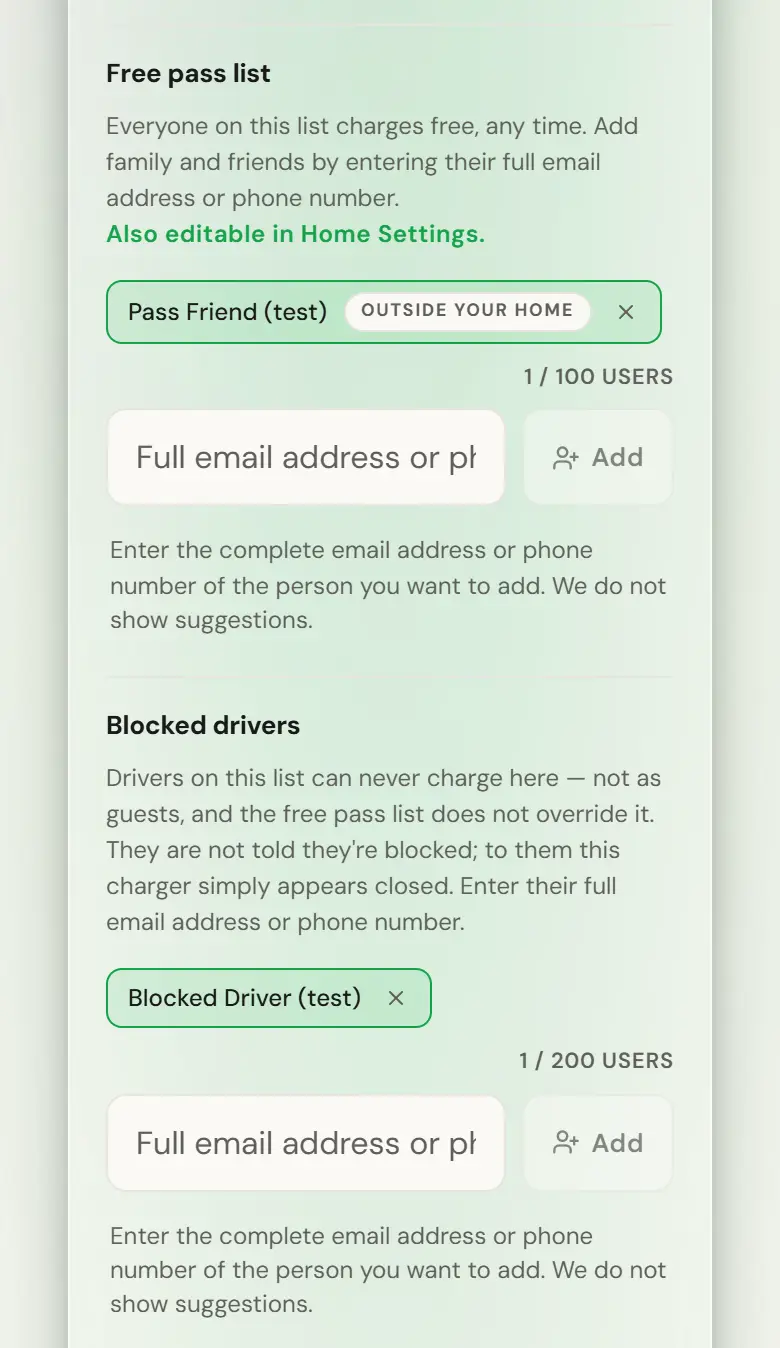
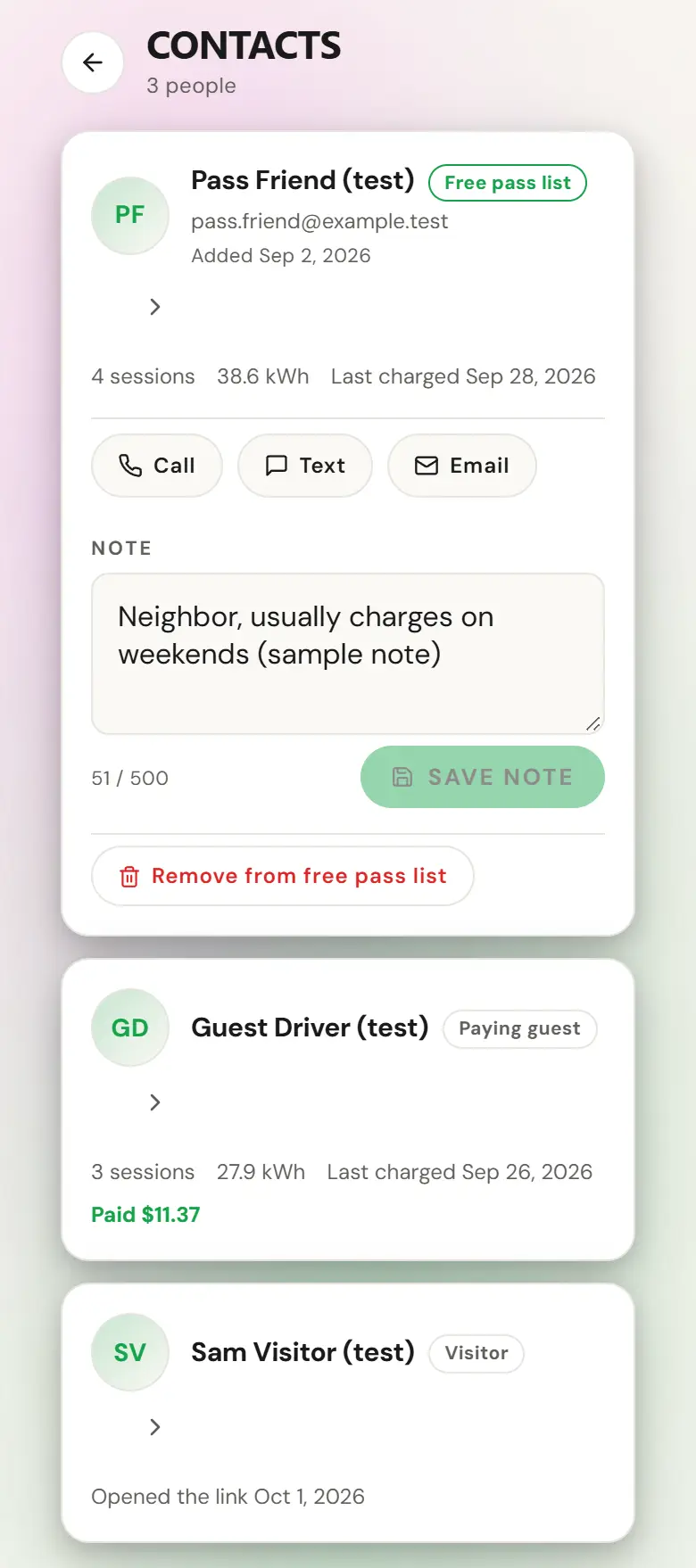
Under Contacts you see everyone who has charged there, everyone on your free list, and everyone who has opened your share link, with sessions, energy, when they last charged and what each person paid. You do not see a paying guest’s phone or email, and they do not see yours.
On the map, or not
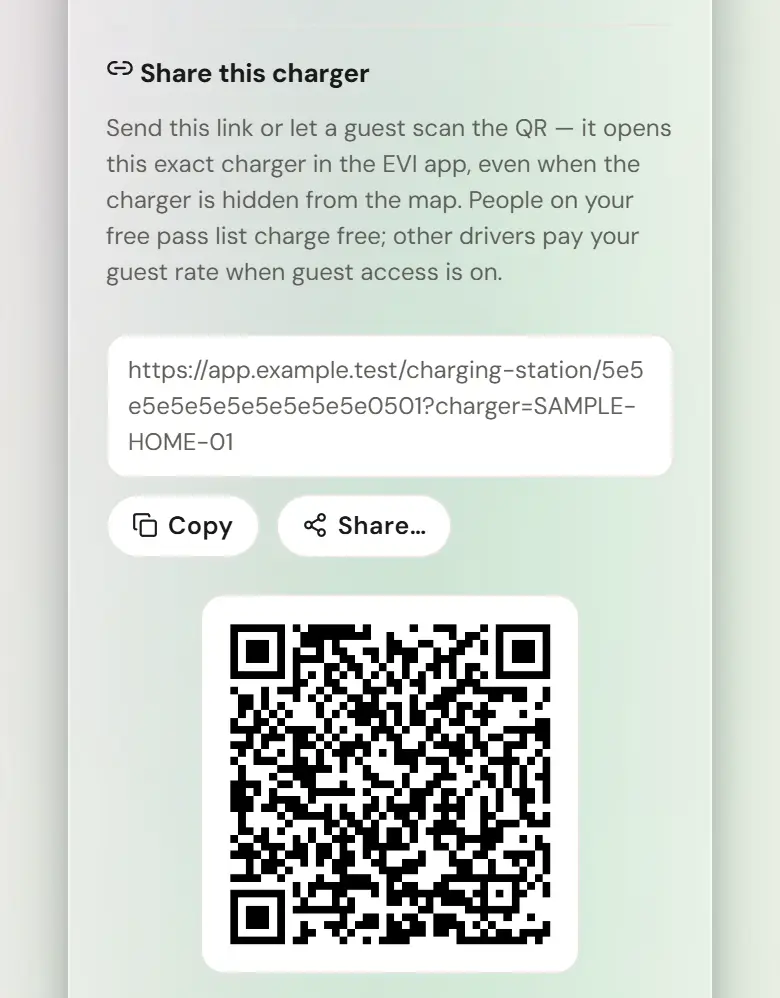
A home charger is not on the public map, and there is currently no way to put it there. Home locations are created hidden from the driver map and the map leaves them out, so guests reach you by a direct link or a QR code you share with people you choose. In practice that is how almost every home host wants it.
There is a public map switch on the charger screen, and its hint says your charger is listed publicly by default. Neither is true for a home charger today: the switch changes nothing and you are not listed. We would rather tell you that than have you flip it, wait for guests, and conclude the charger is broken. Your share link is the thing that works.
- Open the charger and find the share block.
- Copy the link, or print the QR.
- Anyone with it lands on your charger, and the link survives them having to sign in first.
Getting paid
You keep 85% of every kWh a guest buys, before card processing. We take 15% and absorb the payment fee out of our side. Payouts land in your own bank account through your connected Stripe account. Nobody invoices anyone and you never have to request a payment.
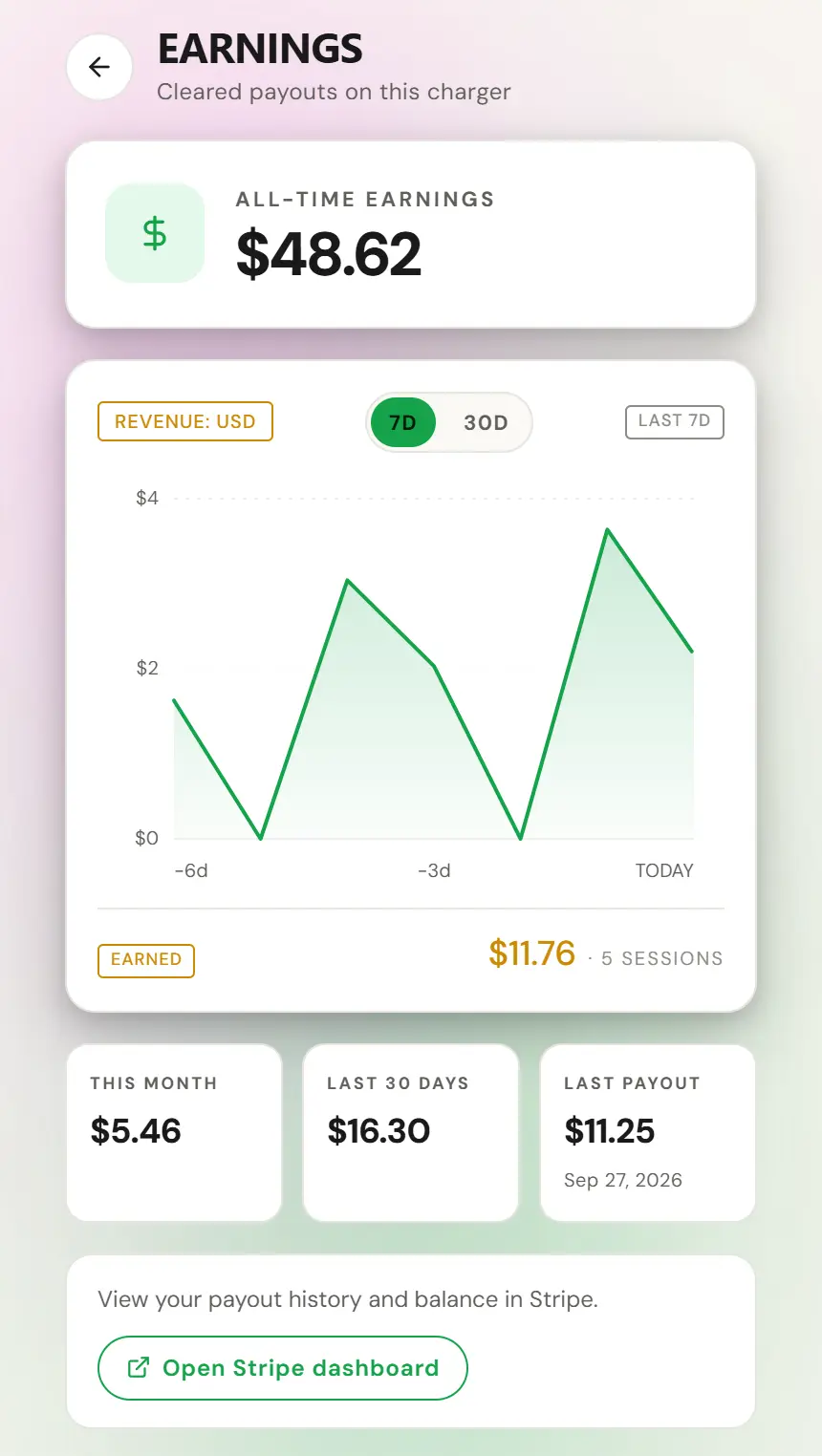
All of the Stripe detail, including exactly what Stripe asks for, what happens while verification is pending, and what to do if it fails, is on the connecting your bank page. Read it before you start rather than in the middle of it.
If you open your charger before completing Stripe onboarding, guests can still charge and you still earn. The money is held until Stripe has verified you, then it settles automatically without you doing anything else. Nothing is lost by the delay, and nothing is paid until it is done.