The business
Your team
and access.
Roles say what somebody can do. Scoping says where. Both are enforced on every request rather than by hiding a button.
The roles
- Operator. The whole account.
- Property Manager. The properties they are scoped to.
- Building Admin. One building.
- Charger Owner. Their own hardware, wherever it sits.
- Fleet Admin and Fleet Operator. A fleet: its vehicles, drivers and credentials.
- Tenant Admin and Third-Party Admin. An account or an outside party you have brought in.
- Sales Agent. The commercial pipeline rather than the hardware.
- Viewer. Reads everything in scope, changes nothing.
Give people the narrowest role that lets them do the job. It is not distrust, it is that a smaller blast radius makes everybody braver about actually using the thing.
Scoping
Scoping is real, not cosmetic. It is enforced per request. A building manager scoped to one building cannot reach another one by editing a URL, because the boundary is checked on the server every time rather than by leaving a menu item out of the page.
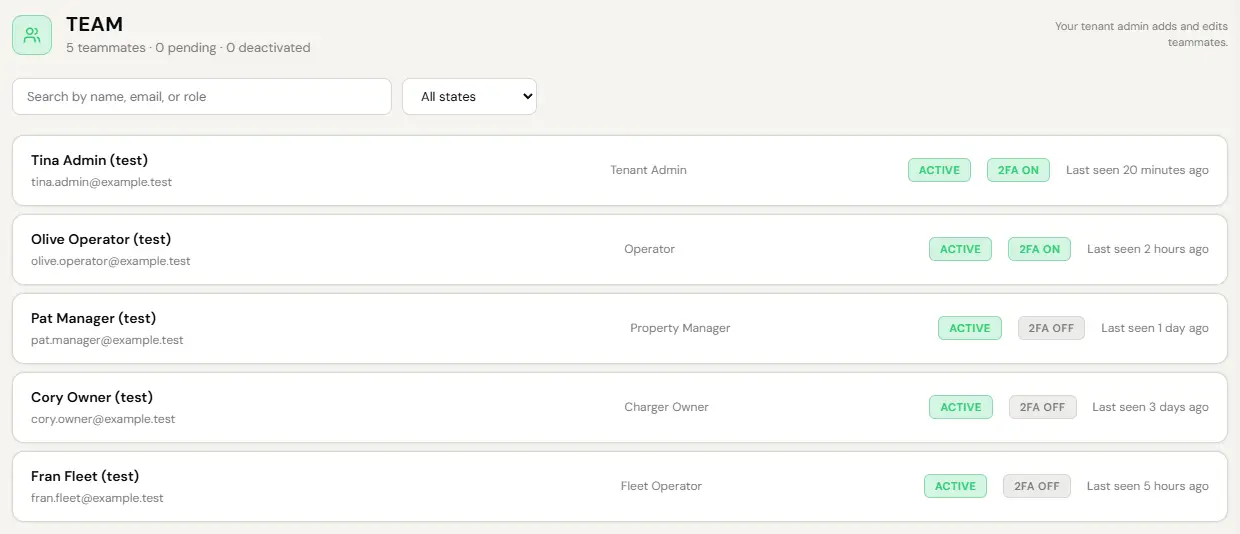
- To change the role: Manage, Users, Team, open the person.
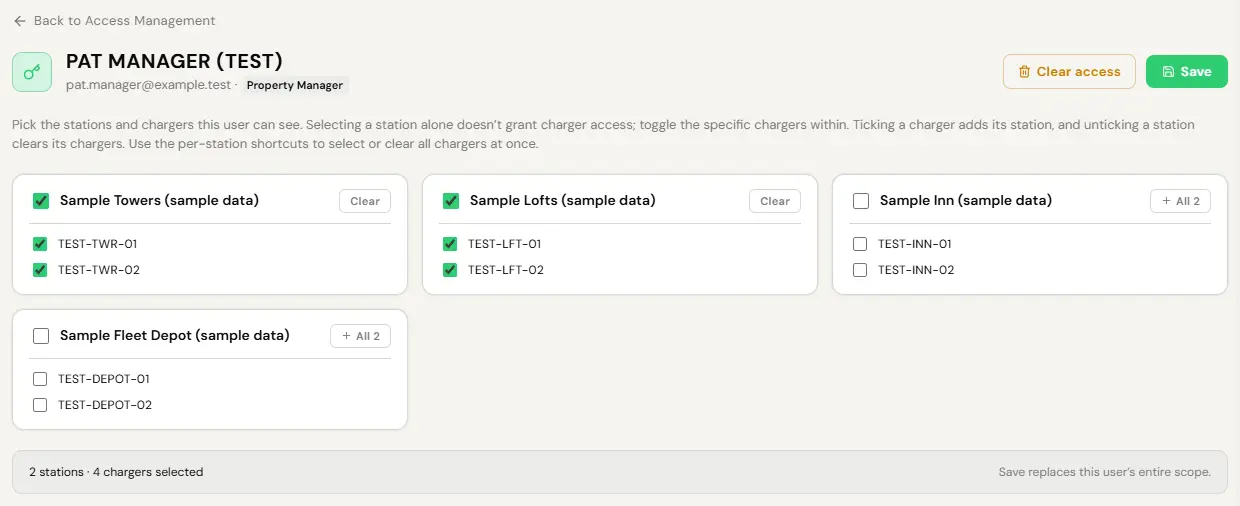
- To change the scope: System, Access Management, open the person and tick the stations and chargers they can reach.
- Save. Save replaces their whole scope, and it applies on their next request, not at their next sign-in.
Scope applies to the scoped roles, such as Property Manager and Building Admin. An Operator and a Viewer read across the whole account.
You cannot grant a role or a scope above your own. There is no path, accidental or otherwise, to creating somebody more powerful than the person who created them. EVII is bound by exactly the same rule and cannot grant permissions to anybody, including herself.
Two identities, one person
Everybody on the platform is a driver underneath. Administrative power is a grant layered on top, and it only wakes on the admin console behind two-factor sign-in.
That gives you two separate levers, on purpose:
- Remove the grant. They lose admin access. Their driver account, charging history and points are untouched. This is what you want when somebody changes job.
- Deactivate the account. Everything stops. This is what you want when somebody leaves.
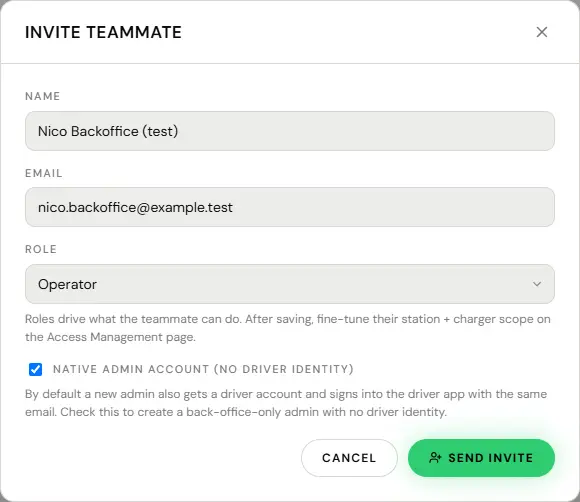
There is also a back-office-only option when somebody is added: an admin with no driver identity at all, for a person who will never charge a car. Only a super admin can tick it, so ask EV Initiative.
The audit log
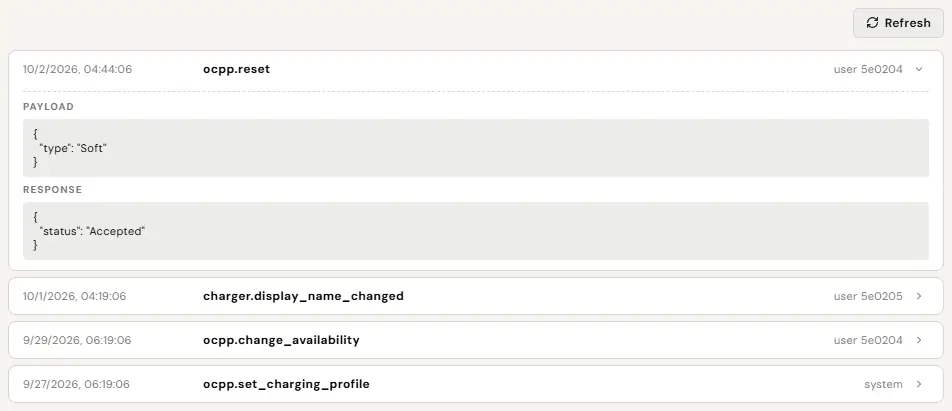
Every change made in the console writes a row: which account, what, when. Every remote command to a charger writes one too, including what was sent and what came back.
It exists for a specific conversation, the one you will have three months from now about why a price changed or who reset that charger. Nobody thinks about it until exactly then.
Open the charger and its audit panel for every command and change on that unit. A network-wide audit screen is not built yet, and EVII cannot search the log for you: if you need a change traced across the network, ask us and we pull it from the record.
Adding somebody
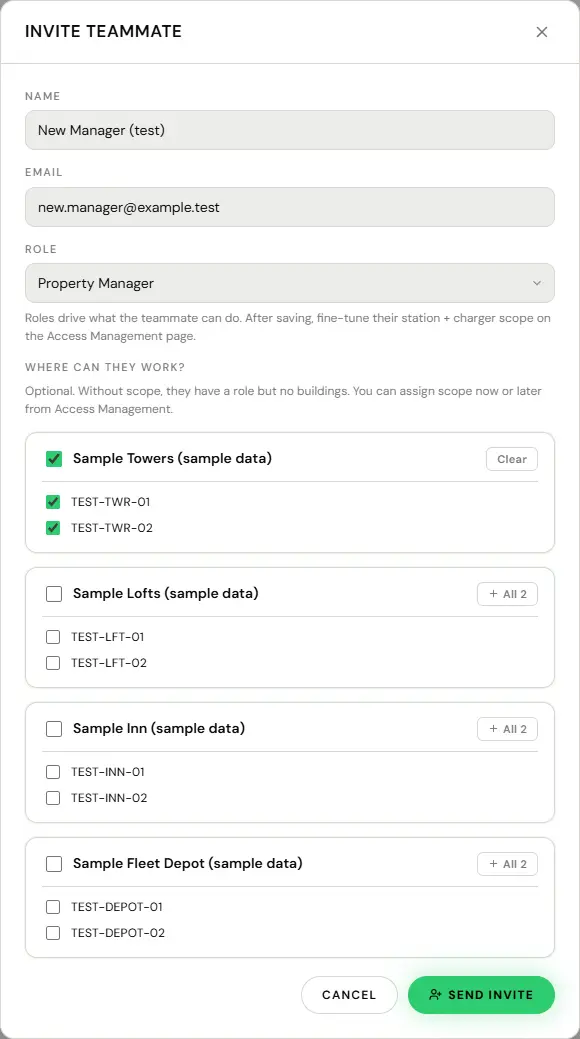
- Team, then invite.
- Their email, their role, and the scope they need.
- If they should have no driver account at all, ask EV Initiative: only a super admin can tick Native admin account (no driver identity).
- Send. The invite is single-use and lasts fourteen days.
After saving, fine-tune their site and charger scope on the access management page.