
When it goes wrong
Fault
playbook.
Find the symptom, read what it means, do the thing. This page exists so you can solve it standing in the car park instead of waiting on us.
Before anything else
Two questions answer most of this page.
- Is the charger online? If it has stopped talking, nothing can be done to it remotely by anyone, including us. Fixing the connection comes first and everything else is downstream of it.
- Has it ever connected? A charger that has never once connected is almost always an identity problem, not a hardware problem. That is a different fix entirely.
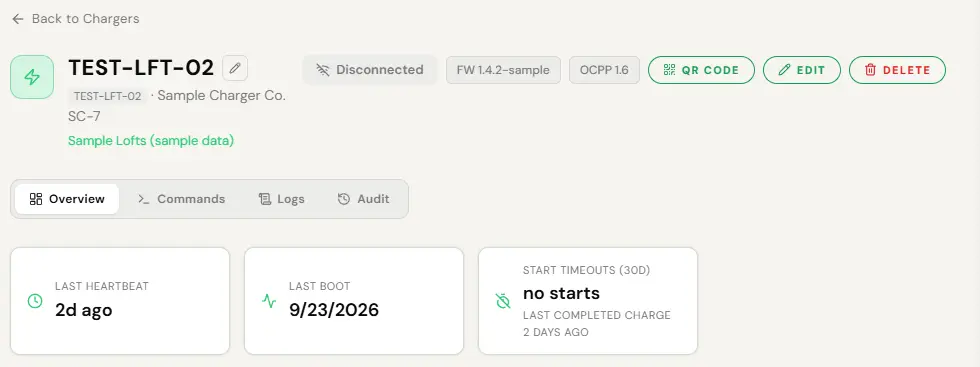
- Open the charger page. Look at the status badge and at Last Heartbeat.
Symptom, meaning, action
| What you see | What it means | What to do |
|---|---|---|
| Never appeared after install | The identity you entered does not match what the unit announces, or the unit is not pointed at our network. A mismatch is refused at the socket and produces silence, not an error. | Compare the identity character for character against the unit’s own configuration screen. Copy and paste it. Then check the websocket address on the unit. If it has a SIM, check the SIM was activated. |
| Was working, now offline | Lost power or lost internet. Almost never the platform. | Check the breaker. Check the site’s connection. Power-cycle the unit and wait two minutes. If it has a SIM, check the data plan is alive. |
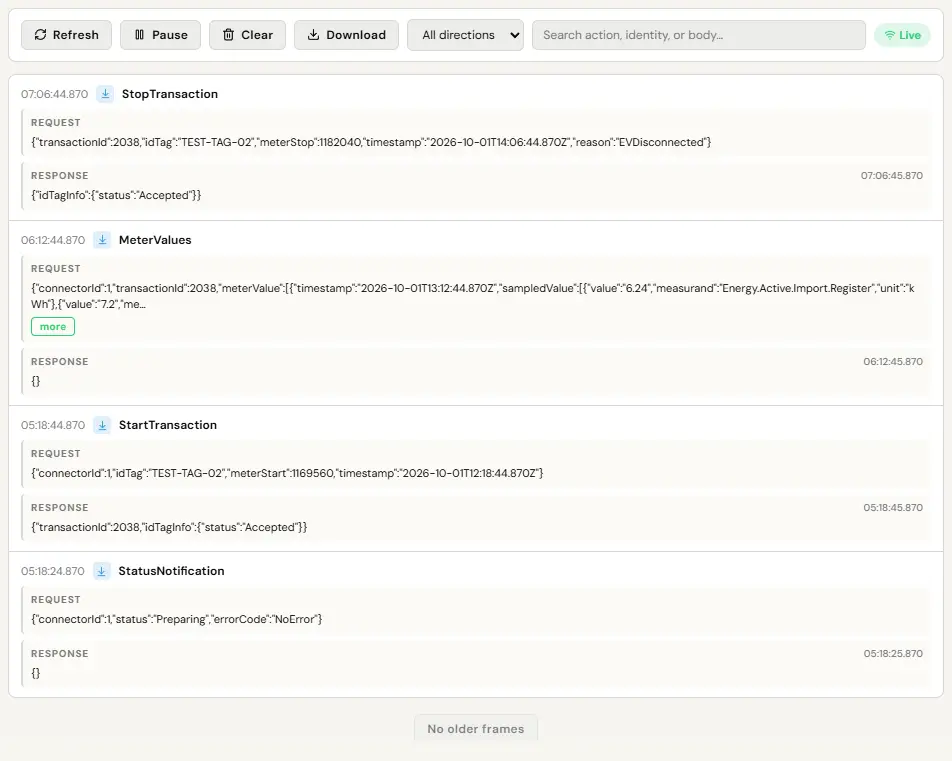
| Faulted | The unit is reporting a problem about itself. | Remote reset first, soft then hard. If it faults again straight away, read the message history for the fault code and call your installer. |
| Stuck on preparing | A cable is in but no session started, or the driver started before plugging in and it timed out. | Tell the driver to plug in first, then start. If it persists with a cable in, remote reset. |
| Suspended for hours | The car stopped drawing. A full battery, or a car on its own departure schedule. | Nothing. This is normal and is not a fault. |
| Charging much slower than expected | The car’s onboard charger, a cold battery, or a load management cap on the circuit. | Check the charger page for an applied limit. If there is one and demand has dropped, see Power and load. |
| Cable will not come out | The car is holding it, not the charger, most of the time. | Unlock connector from the charger page. Then: unlock the car, open and close the charge flap, or use the car’s manual release. |
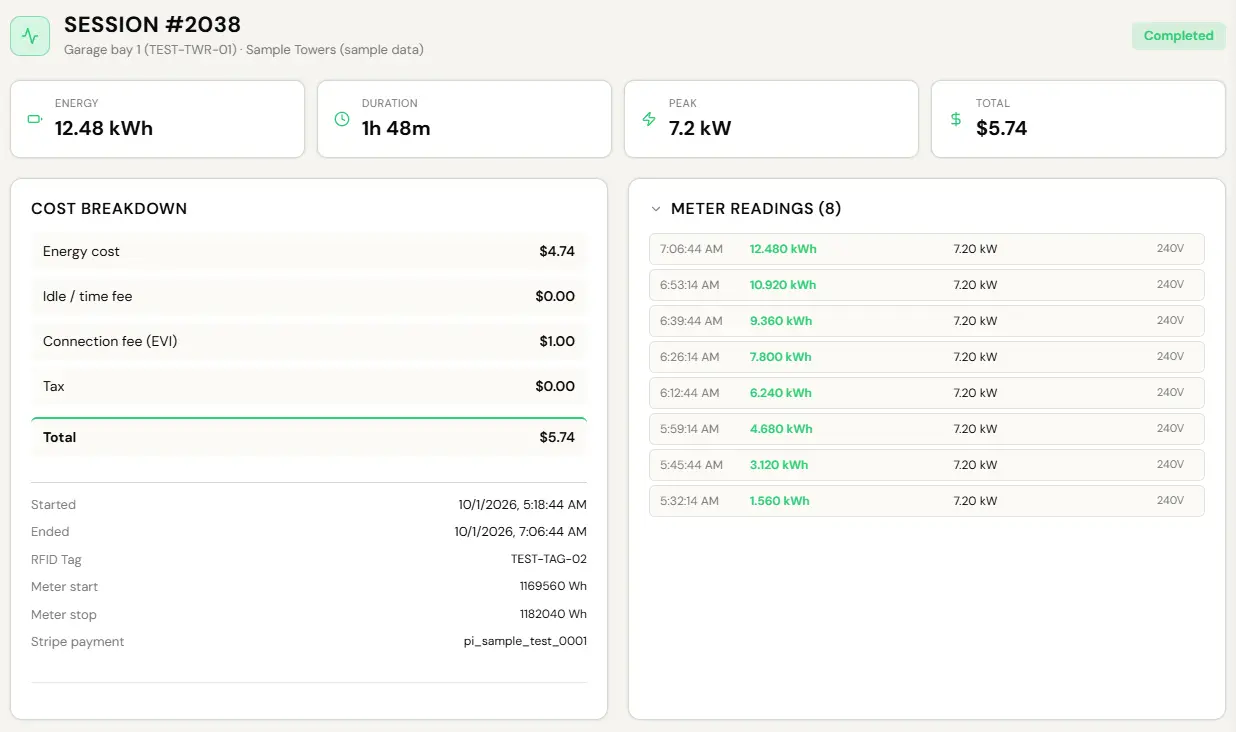
| Driver says they were charged wrongly | Usually a pre-authorisation hold they have mistaken for a charge. | Open the session record. It shows energy, price and the cost breakdown. The hold releases when the session settles. |
| Session shows zero energy | The session started and nothing flowed. Often a car that refused the handshake. | Nothing to bill, and nothing is billed. If it repeats on one charger, remote reset and then read the message history. |
| A charger is quietly capped | A load limit was applied and never released. | The orphaned cap shows on the charger page. See Power and load. |
A charger has gone offline
This is the most common real fault and the order matters.
- Power. Breaker, isolator, the unit’s own switch. A tripped breaker looks exactly like a dead charger.
- Internet. Site wifi, the ethernet run, or the SIM. If other things at the site are also offline, it is the site.
- Power-cycle. Off, wait thirty seconds, on. Then wait two full minutes before deciding it did not work, because the unit has to boot and re-announce.
- Check it came back. The charger page will show it reconnecting on its own.
A remote command travels down the charger’s own connection. No connection, no command. The console disables the command buttons while a charger is offline rather than letting you press one and wait for a failure that was never going to succeed. That is not us declining to help, it is the physics of the situation, and it is why connectivity is step one every time.
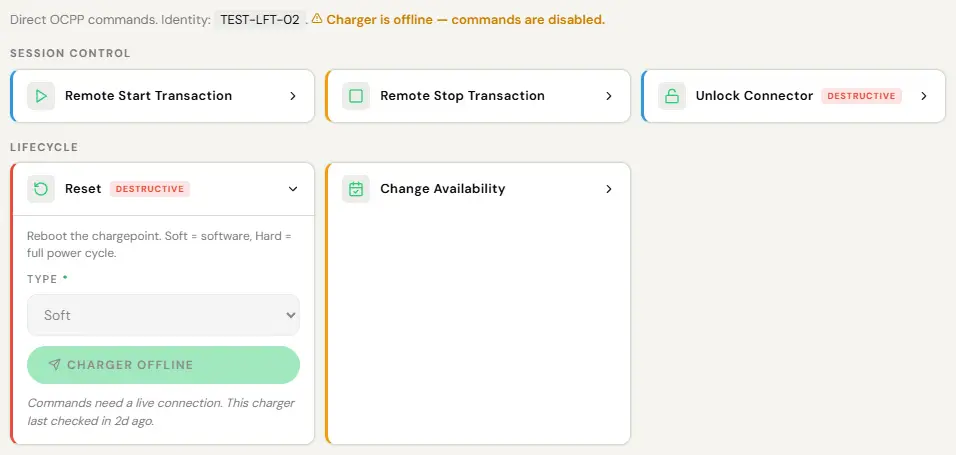
- Open the charger page.
- Commands, then reset. Soft first.
- If soft does nothing, hard.
- Wait two minutes.
A reset ends any session running on the unit, so the console asks you to confirm before it is sent. Every command is written to the audit log with who asked and what came back.
A driver cannot charge
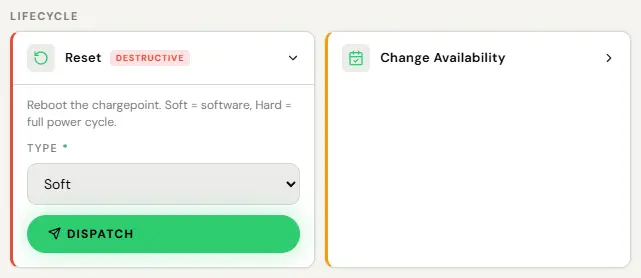
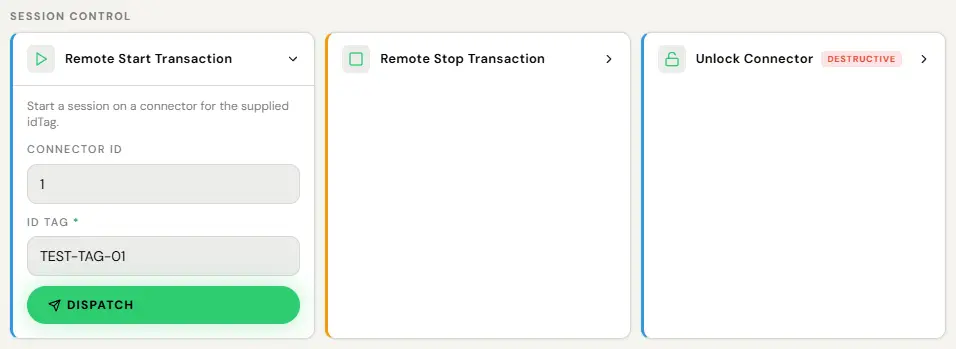
- Open the charger page.
- Remote start, and pick the connector. Or remote stop for a session that will not end.
Drivers can also just ask EVII™ themselves in the app, and she will help them start it within what their own account allows. That is the call that never reaches you.
If a driver cannot start and the cable is definitely in, work down this list: are they allowed to charge here (check the charger’s guest access settings), is their payment method valid, and is the charger actually available rather than faulted. All three are on the charger and driver pages.
Worth repeating because it is the single biggest cause of failed charges across the entire network. A certified charger deauthorises within about two minutes if nothing is connected. The limit is set by weights and measures law, not by us, and the app shows a countdown when it applies. Put it on your signage.
Something went wrong with money
- A card declined. The platform retries and tells the driver what to fix. You are not told, because there is nothing you can do about somebody else’s card.
- A hold that looks like a charge. Pre-authorisation holds are sized to what the session could cost rather than a flat large number, and the remainder releases when the session settles. This is the most common driver complaint and it is not a fault.
- A session that should not have been billed. Refunds and adjustments are on the session record. See Pricing and money.
- A payout that has not arrived. Check Stripe onboarding is actually complete. Revenue accrues and is held until it is, and nothing is lost by the delay. A building’s electricity reimbursement is the exception: see the 60-day deadline.
- Find it on Sessions, Active tab while it runs, or on Reports, Sessions afterwards.
- Open it for energy, price and the Stripe payment reference.
- Open the charger’s Logs tab for what the hardware actually reported.
When it really is us
Most of this page is the site, the hardware or the car. These are the ones that are ours, and you should tell us rather than work around them.
- A charger shows online but has not sent a message in hours.
- A session billed an amount that does not match the energy on the record.
- A payout that is late with Stripe onboarding complete and no error showing.
- An applied load limit that will not clear after demand has dropped.
- Anything in the console that disagrees with itself.
Mail support@evinitiative.com with the charger identity and roughly when it happened. That is enough for us to find it in the message history.
The failures worth reporting are the quiet ones: a figure that is plausible and wrong is far more dangerous than an error message. If something reads correctly but you do not believe it, say so. That is a real report, not a nuisance.