
Your role
Operator and
Property Manager.
The full console. Every site you hold, every charger on them, the pricing, the money, the team and the alerts. A Property Manager is the same role with a smaller boundary drawn around it.
What this role governs
If you bought the chargers or signed for the network, you are the Operator. Everything in this manual applies to you without qualification.
- Sites and chargers. Create locations, add chargers, set connector types and power, take a charger out of service, run remote commands.
- Money. Tariffs, the revenue split, Stripe payouts, refunds and adjustments. See Pricing and money and Connecting your bank.
- Drivers and access. Who may charge where, guest access and pass lists, RFID cards, announcements. See Drivers.
- Reports. Revenue, utilisation, energy, sessions, payouts, uptime, with CSV export. See Reports.
- Your team. Invite people, give them roles, scope them to their own buildings. See Your team and access.
- Alerts. What is offline, what is faulted, what is heading that way. See Preventative maintenance.
A Property Manager does all of it inside an assigned set of locations. A Building Admin is narrower again and has its own page.
Where your boundary is
Roles decide what you can do. Scoping decides where. The two are separate on purpose, because a regional manager and a building manager often need identical powers over completely different property.
Your boundary is resolved on every single request, against the database, every time. Not once at sign-in and remembered. A request for a building you do not hold does not return a smaller answer, it returns nothing, because the query was built with your boundary already inside it. This is also why a command sent to a charger you cannot reach comes back empty rather than telling you that charger exists somewhere else.
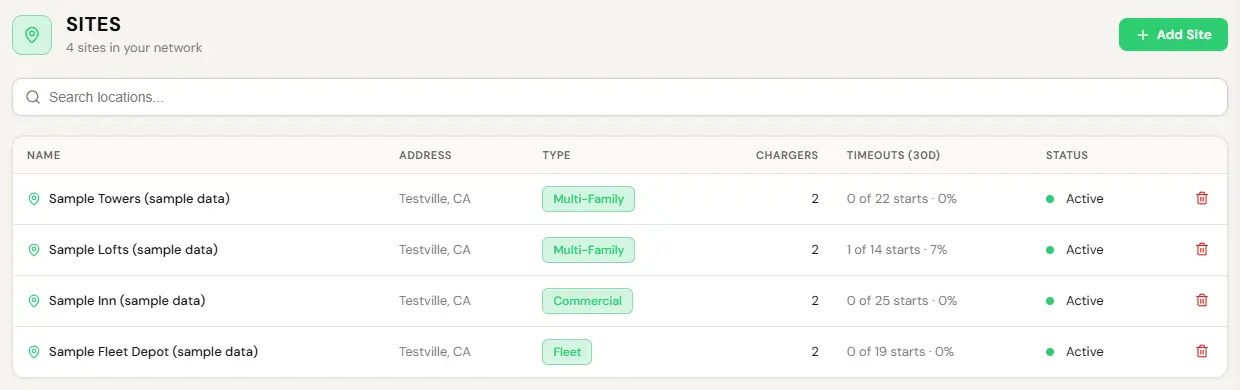
- Open Stations, Sites. What is listed is your boundary. There is no page behind it.
- If a site you expect is missing, you were not scoped to it. Ask whoever holds the account above you.
EVII answers inside your boundary and nobody else’s. There is no way to phrase a question that widens it, because the limit sits below the level she operates at.
What you actually do each week
Most weeks, almost nothing. The list below is the whole job when the network is behaving.
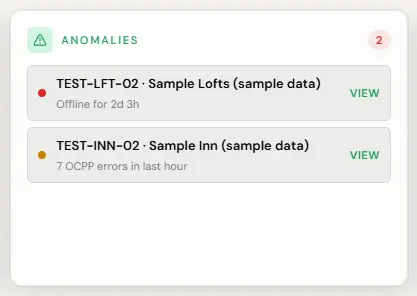
- Open Overview, Dashboard. Read the Anomalies card.
- Anything red needs you today. Anything amber can wait for the afternoon.
- Click a charger for its message history if you want to know why.
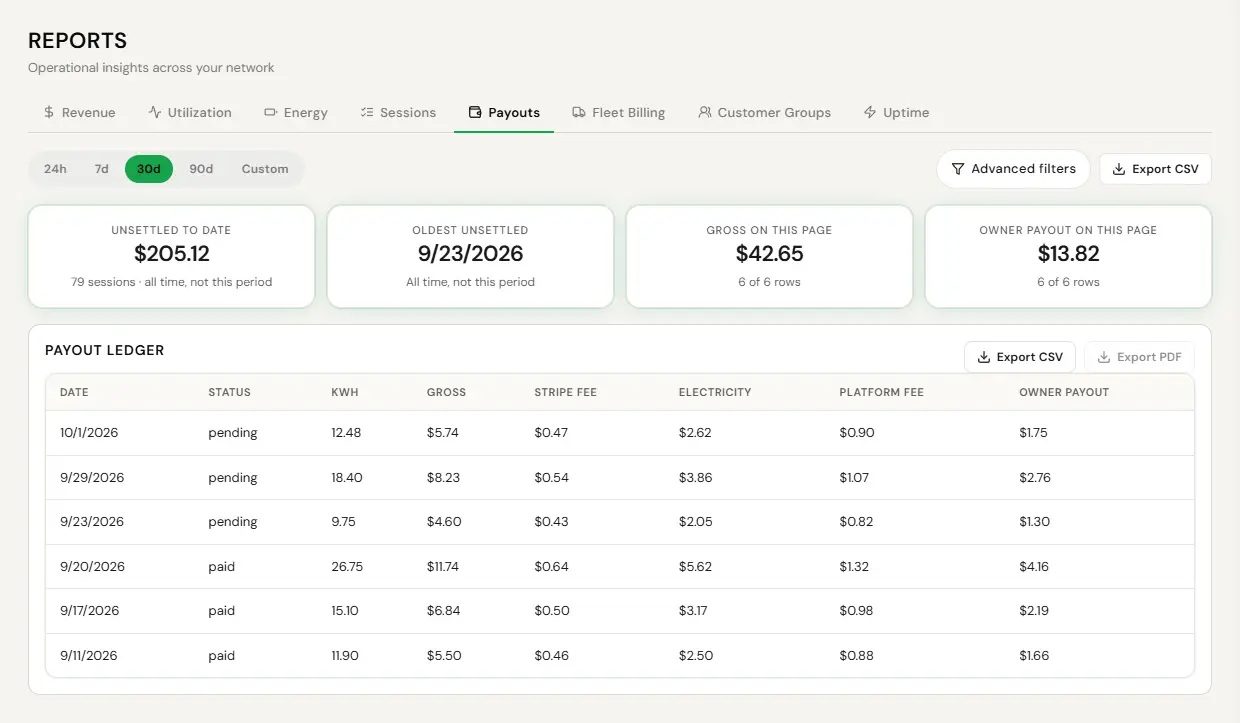
- Open Reports and the Payouts tab.
- Look for anything pending longer than a week, and any payment failure older than three days.
- Export the tab to CSV if your accountant wants it.
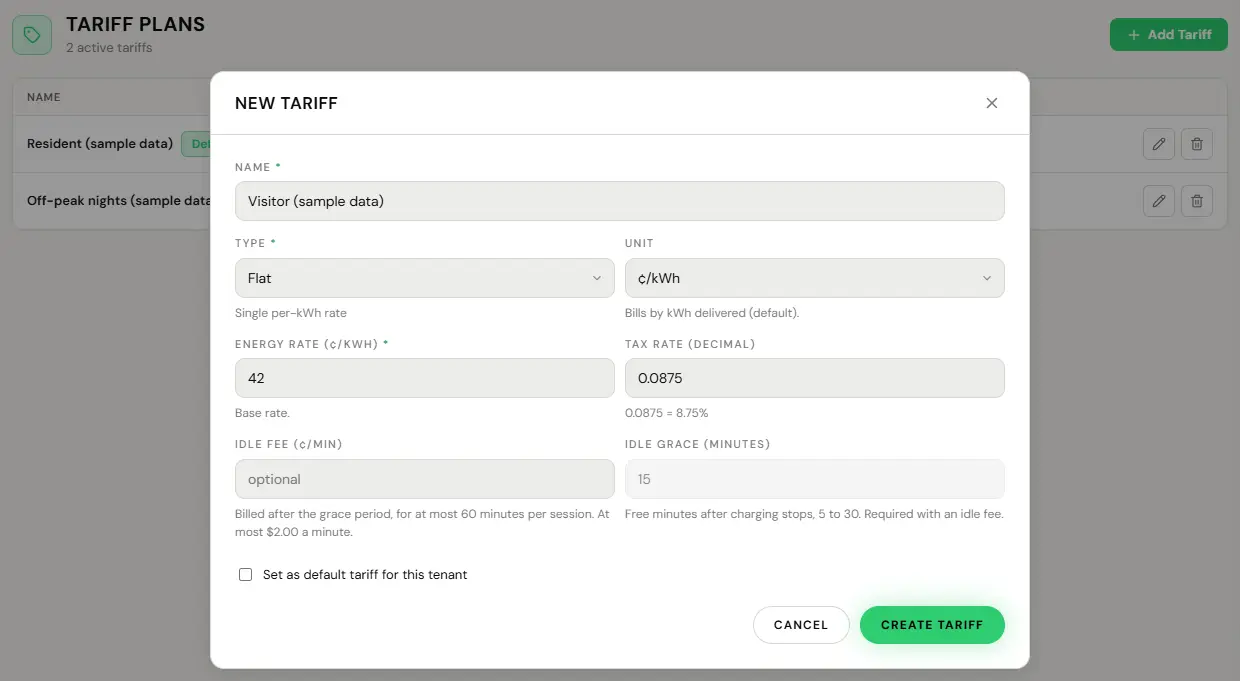
- Edit the tariff under Manage, Tariffs, or create one with Add Tariff: Flat, Time of Use or Tiered, billed per kWh or per hour. A rate of 0 is free.
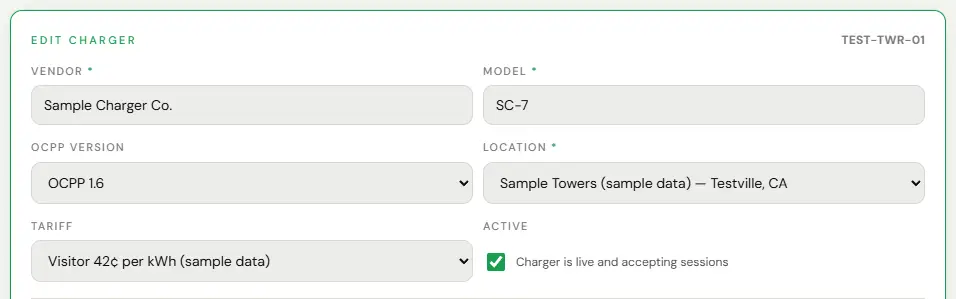
- To move a charger to a different tariff, open the charger, use Edit, and pick it under Tariff.
- Save. It is live immediately, and the price at the moment a session starts is the price that session pays.
Free is a real setting rather than a workaround. A free charger still reports, still gets watched, and still load-manages. There is no session fee for you to set: EV Initiative’s connection fee is set per charger by EV Initiative.
Viewer, read-only
A Viewer sees dashboards and reports and changes nothing. It is the right role for an accountant, an owner who wants visibility without the ability to break something, and a new hire in their first fortnight.
Give it out freely. It is the one role that cannot cost you anything, and handing someone a Viewer seat is almost always better than emailing them a spreadsheet every month.
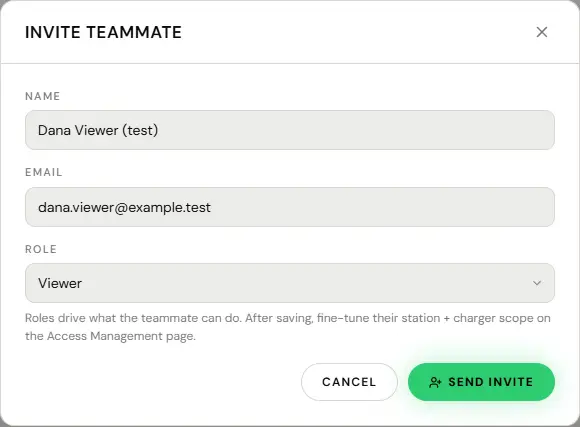
- Go to Team and invite them.
- Give them Viewer.
- Send. A Viewer reads across the whole account. It cannot be limited to particular sites today, so give it to someone who may see all of them.
What you cannot do
- Grant anything above your own level. Checked on every request. There is no accidental route to creating someone more powerful than you.
- Remove the last active admin on the account. The platform refuses. A business cannot lock itself out.
- See across a boundary you were not given. Including with EVII, including by rephrasing the question.
- Change a charger’s identity. It is whatever the hardware announces, and it is the one field that is permanent. You can change the display name as often as you like.
- Fix a physical fault from here. Resets, unlocks and availability changes are remote. A cracked connector or a tripped breaker is a person at the site. The fault playbook draws that line.