
Run the site
Day to day.
What to look at, what the statuses actually mean, and what you are safely allowed to ignore. On a good week this page takes you two minutes a day.
The two minute routine
- Open Overview, Dashboard. Read the Anomalies card. Anything red is today.
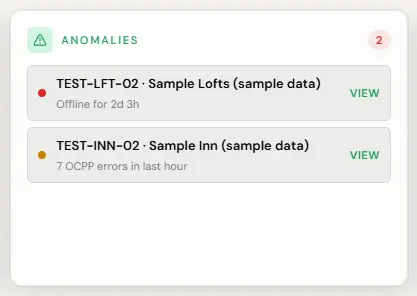
The alerts panel on Overview is the Anomalies card. Red marks a critical problem, here a charger offline for 2 days and 3 hours; amber marks a warning, here 7 OCPP errors in the last hour. View opens the charger. Sample screen with test data. - Glance at chargers offline. One that has been quiet more than an hour wants a look.
- That is it. Everything else will find you.
- Open Overview, Dashboard and read the Anomalies card.
What the statuses mean
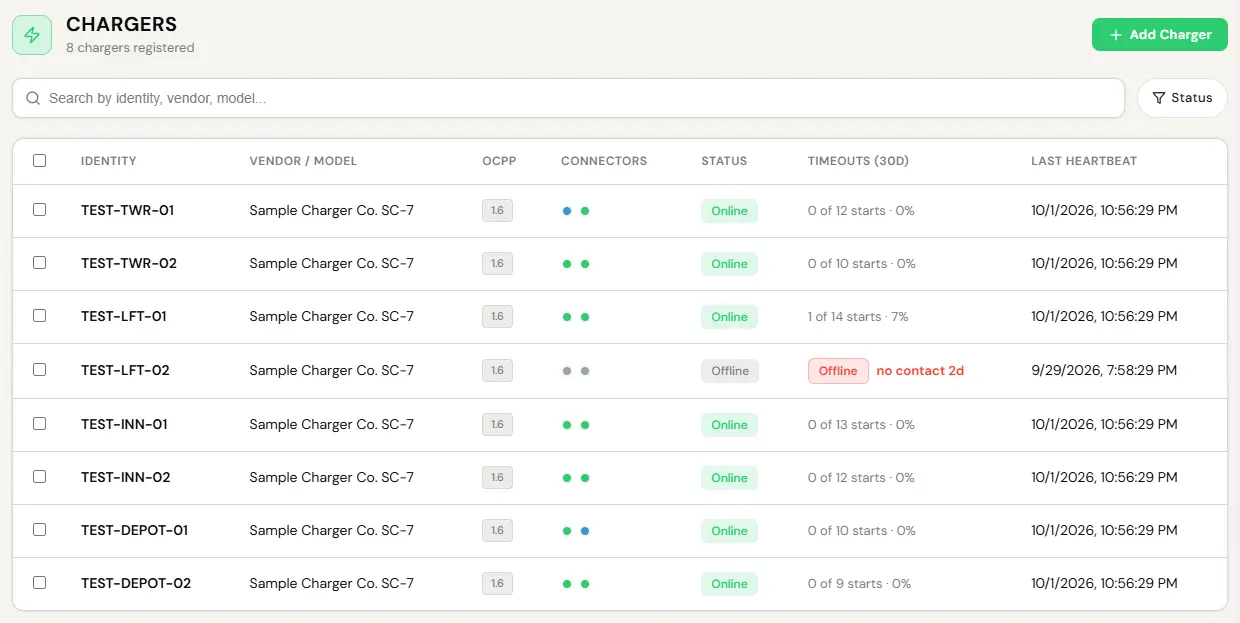
Status is reported per connector, not per charger, so a dual-port unit can be busy on one side and available on the other.
- Available. Idle and ready. Nothing to do.
- Preparing. A cable is in but the session has not started. Normal for a few seconds. Stuck here usually means the driver has not started the session, or started it before plugging in.
- Charging. Power is flowing. Nothing to do.
- Suspended. Connected but not drawing. Usually the car, not the charger. A full battery or a car on its own schedule looks exactly like this.
- Finishing. The session has ended and the cable is still in. Idle fees, if you set any, apply here.
- Faulted. The unit is reporting a problem itself. Go to the fault playbook.
- Unavailable. Somebody, possibly you, took it out of service deliberately.
- Offline. The unit has stopped talking to the network. This is the one that matters most, because it is the state a charger fails into silently.
A car that has finished charging, or one obeying its own departure schedule, sits suspended for hours. It is the most common thing an operator worries about unnecessarily. If the driver is not complaining, nothing is wrong.
Live sessions
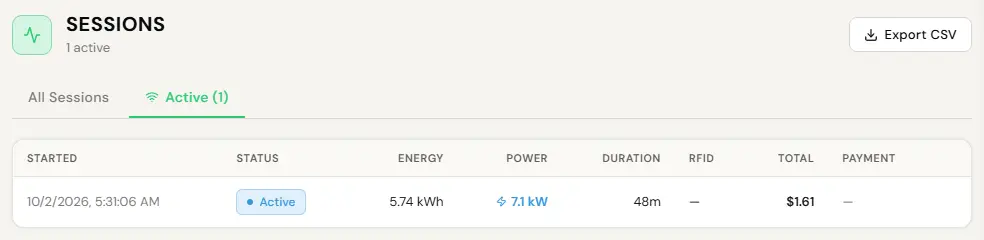
Every session running across everything you can see, updating as it goes: energy delivered, cost accruing, how long it has been going.
- Sessions, Active tab.
- Click a session for its detail and its charger.
Every OCPP message a charger has ever sent or received is stored and searchable. When a driver disputes a session, that record is the answer rather than a theory.
A session that strands, because the network dropped or a unit rebooted, closes itself and bills the last meter reading we received. You do not have to find it, and the driver is never charged for anything after that reading.
Alerts
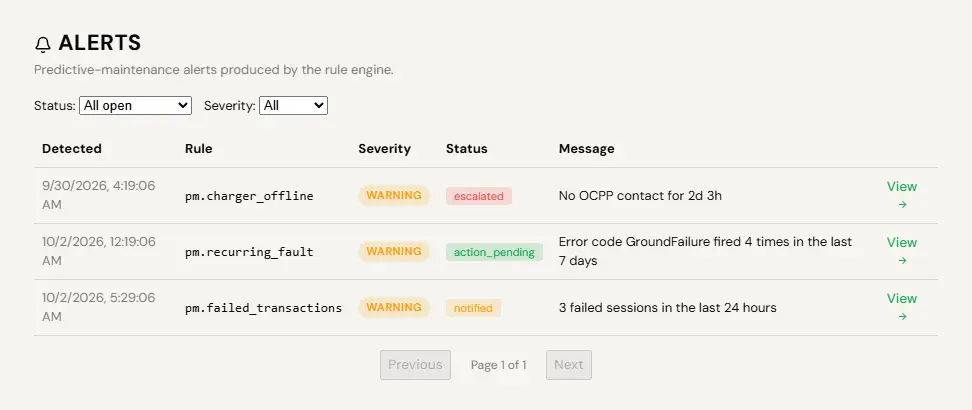
Alerts escalate on a schedule, so something nobody acknowledged does not sit unread forever. They are scoped to what you actually hold: a manager responsible for three buildings gets three buildings, not the network. That sounds obvious and it is unusual, and it is the reason alerts here are worth reading rather than worth muting.
- Settings, then notifications.
- Set the channels and the escalation schedule for your account.
We tell people things they can act on and we do not tell them things they cannot. A host whose charger went offline can power-cycle it, so they hear. A host whose guest had a card declined cannot do anything about it, so they do not. If you are getting a notification you can do nothing with, tell us, because that is a bug in the rule rather than a preference.